

Lucky Hills Casino App Download: Complete Guide for Players
Mobile players usually want to know whether the Lucky Hills Casino App Download is a true app, a browser shortcut, or a mobile installer. That matters because each option behaves differently on iPhone and Android, especially when you need updates, storage space, and login security. This guide breaks down the practical side of the Lucky Hills App so you can judge what to expect before you install anything. It also explains how to avoid common mistakes that lead to failed downloads or account issues.
Because availability can change by region, the Luckyhills Casino App Download experience is not always the same for every player. Some users may see an install prompt in a browser, while others may be guided toward a mobile-friendly website or APK-style file on Android. The goal here is to show you how the Luckyhills App should be checked, installed, and tested safely. You will also see what to do if the app opens slowly, freezes, or refuses to log in.
Luckyhills Casino App Download for iPhone and Android

On modern phones, the Lucky Hills Casino App usually matters most for speed and convenience, not just for getting a larger screen. Players want quick access to lobby pages, account tools, and games without repeating the same browser steps every time. If the operator offers a mobile installer, the Lucky Hills App Download path should be simple and clearly explained. If not, a responsive web version can still provide a similar experience without taking extra storage.
The main difference between iPhone and Android is not the design of the Luckyhills Casino App itself, but the way the file or install prompt is delivered. iPhone users often deal with browser-based installation rules, while Android users may also see APK-style downloads or permission prompts. A careful Luckyhills App Download process should make those differences easy to understand before you tap anything. That is why device checks matter before you start.
How do iPhone users usually get the Lucky Hills App?
For iPhone users, the safest route for the Lucky Hills App is usually a browser-based install flow or a mobile web shortcut, if that is what the operator provides. Apple devices are stricter about where apps come from, so the process often starts in Safari rather than a direct file download. Before you approve anything, check whether the page explains the installation method clearly and whether the address looks consistent. A clean Lucky Hills Casino App Download path should never feel hidden or rushed.
If a full native app is not available, the Lucky Hills App can still work well through a browser interface that behaves much like an installed app. The advantage is that you avoid extra setup steps, and the site can update automatically on the next visit. Still, make sure the page asks for only the permissions it truly needs. When the Lucky Hills Casino App Download is legitimate, the instructions should be easy to follow and free of pressure.
What should Android users check before downloading?
Android users often have more flexibility with the Luckyhills App, but that flexibility comes with more responsibility. A browser download or APK file should be checked before opening, especially if the device warns about unknown sources. Look for the file name, the page language, and whether the download flow matches the rest of the site. A careful Luckyhills Casino App Download process helps reduce the chance of installing the wrong file.
Before installing the Luckyhills App, confirm that your phone has enough storage and that your Android version can run the file properly. It also helps to close other apps, so the installer runs without interruptions. If the download page is vague about version updates or login steps, pause and review it again. A trustworthy Luckyhills Casino App Download guide should make the next action obvious.
| Device | Common access route | What to verify first |
|---|---|---|
| iPhone | Browser-based install or mobile shortcut | Safari permissions, iOS version, storage space |
| Android | Browser download or APK from an approved source | Unknown apps setting, file integrity, free storage |
| Tablet | Same method as phone, but with a larger screen | Orientation support and browser compatibility |
| All devices | Mobile web fallback if no native app is offered | Login flow, page speed, and secure session handling |
How to Install the Lucky Hills App Safely
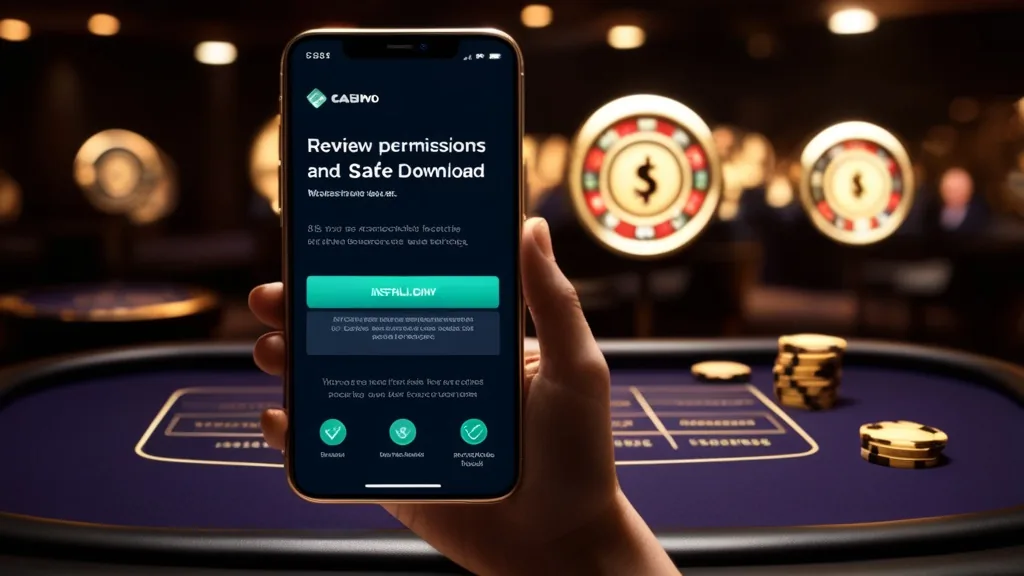
A safe Lucky Hills App Download starts before the file ever opens, because the source and the permission screen tell you a lot about the install. Players sometimes rush through this part and miss warning signs such as mismatched branding or sudden redirects. When the process is clean, the page should explain where the app comes from and how it will behave on your phone. That is the easiest way to avoid unnecessary risk with the Luckyhills App Download.
Once the file is on your phone, the next few checks matter just as much, because mobile installers can ask for permissions that affect privacy and performance. A careful Lucky Hills App Download should never require unrelated access, such as contacts or messages, unless the feature clearly depends on it. You also want to know whether updates are handled automatically or manually. Those details help you use the Luckyhills App Download confidently instead of guessing.
How can you tell a download source is safe?
A safe source for the Luckyhills Casino App should feel consistent from the first screen to the final install prompt. You should see the same brand name, matching design, and clear instructions rather than a maze of pop-ups. If the page suddenly asks you to install unrelated software, stop immediately. A proper Lucky Hills App Download should be narrow in purpose and easy to identify.
It also helps to compare the browser address, the file name, and the login page before you continue with the Luckyhills App. Small inconsistencies are often the first sign that something is off, especially on mobile devices where screens are crowded. A legitimate install route usually explains what happens next and does not hide the version details. When the Lucky Hills App Download is safe, you should feel informed rather than pressured.
Which permissions should you review before first login?
Permissions are a big part of the Lucky Hills App experience because they affect both convenience and privacy. Notifications may be useful for account updates, but access to photos, contacts, or microphone features should be easy to justify. Before tapping allow, ask whether the feature really needs that access to function. A careful Luckyhills App Download process keeps the permission list short and relevant.
After installation, the Lucky Hills Casino App Download should lead to a normal first login, not a cascade of extra approval screens. If the app immediately requests too many permissions, pause and review the settings before proceeding. You can often change device permissions later if you decide to keep the app installed. That gives you more control without blocking basic use of the Lucky Hills App.
Use this quick Lucky Hills App Download checklist before you install anything on a phone or tablet.
- Confirm that the page name, branding, and device instructions match the app you expected, then avoid any pop-up that redirects you to a different offer.
- Check your connection, battery level, and available storage so the installer does not fail halfway through the Luckyhills App Download.
- Review the permission screen carefully and allow only the access that makes sense for login, notifications, or basic device storage.
- Open the app or shortcut, sign in once, and test that the lobby loads normally before you save credentials or deposit funds.
- If the file behaves oddly, delete it and restart the Lucky Hills App Download from the beginning instead of forcing the install.
A clean install is always easier to troubleshoot later, especially when the Luckyhills Casino App needs an update or a fresh login.
Luckyhills Casino App Features for Mobile Players Today

The strongest reason players keep the Lucky Hills Casino App on a phone is speed, because mobile access removes a lot of repeat navigation. A good mobile build should load the lobby quickly, keep buttons large enough for touch use, and preserve the same account tools you expect on desktop. The Luckyhills Casino App should also adapt well to small screens without crowding the game tiles. That balance matters more than flashy animations.
Not every mobile experience is identical, because the features available in the Lucky Hills App can vary by device and by how the app is delivered. Some versions focus on instant access and stable gameplay, while others lean on browser-based convenience with fewer downloads. A useful Luckyhills App should still give you a clear route to games, support pages, and account controls. The key is whether the layout feels smooth when you actually use it.
What features matter most on a mobile casino app?
Players usually care most about speed, touch controls, and account access when they open the Lucky Hills App. A mobile lobby should make it easy to find games, return to recently used pages, and reach support without zooming around the screen. If the design feels clumsy, the app is probably not optimised for real use. A polished Lucky Hills Casino App keeps the essentials close together.
Convenience also matters after login, because the best Luckyhills Casino App should help you move between games and account pages with minimal friction. If you can open a game, change a setting, and get back to the lobby in a few taps, the app is doing its job. Strong search and clear icons usually make the biggest difference. That is often more important than whether the interface uses every visual effect available.
Does the Lucky Hills App work well on smaller screens?
A smaller screen can still feel comfortable when the Luckyhills App uses readable text, clean spacing, and buttons that are easy to hit with one thumb. Good mobile design avoids cramming too many options into one view, because that usually makes the experience worse. If the app supports landscape mode, that can help with game tables and wider lobby pages. The Lucky Hills App Download is only useful if the screen layout stays practical after installation.
On compact phones, the best Lucky Hills Casino App Download experience is the one that keeps the interface light and responsive. That means menus should open quickly, pages should scroll without lag, and game thumbnails should not overlap. When the app feels smooth, players can focus on the games instead of the interface. If the layout breaks or text is too small, the mobile version probably needs a refresh.
| Feature | What it does | Why it helps mobile players |
|---|---|---|
| Quick lobby loading | Opens the game list and account pages faster | Uses less patience and often less data on mobile connections |
| Touch-friendly menus | Keeps buttons and filters readable on small screens | Reduces mis-taps and makes navigation easier |
| Stable session login | Keeps you signed in safely between visits | Saves time when returning to the app |
| Device-friendly notifications | Sends account and update alerts | Helps you keep track of important changes |
Troubleshooting Luckyhills App Download and Login Issues Quickly

Most download problems with the Luckyhills Casino App Download come down to one of three things: the file is incomplete, the device blocks it, or the login session does not match the app version. That is why the quickest fix is usually to identify the stage where the process failed. If the installer never opens, the issue is different from a password problem. A methodical Lucky Hills App Download check saves time because each symptom points to a different fix.
Login issues are just as common, especially when people switch devices or clear browser data after installing the Lucky Hills App Download. Sometimes the app still works, but saved credentials or session tokens have gone stale. Other times the device clock, network, or browser cache is causing the trouble. The good news is that most Luckyhills App problems can be resolved without starting from zero.
Why does the app fail to install?
If the Lucky Hills App will not install, the first thing to check is storage, battery, and whether the device is blocking the file type. Android phones may stop unknown files until you change a setting, while iPhone devices may simply refuse unsupported install paths. A blocked or incomplete Lucky Hills Casino App Download usually leaves a half-finished file behind. Removing that file and starting again often solves the problem.
It is also smart to test the network before you retry the Luckyhills App Download, because weak signal or data-saving settings can interrupt the process. If the file keeps failing, use a different browser tab or restart the phone to clear temporary errors. A repeated failure usually means the device or file source needs attention, not the game account itself. In that situation, the Luckyhills Casino App Download should be restarted from a clean page.
What should you do if login keeps failing?
Login errors often show up when the Luckyhills Casino App is working but the account session is not syncing correctly. Start by checking the username, password, and any saved autofill entry that may be outdated. If the app asks for a code or additional verification, wait for the message and enter it exactly as shown. A clean Lucky Hills App Download will not fix old credentials by itself.
If the password is correct and the Lucky Hills App still refuses access, clear cached data or sign out of any other sessions that may be active. A device clock that is far off can also interfere with secure login screens. When the issue persists, reinstalling may help, but only after you have ruled out network and account problems. That way the Luckyhills App Download remains a troubleshooting step instead of a guess.
When should you clear cache or reinstall?
Cache clearing helps when the Lucky Hills Casino App Download opens but behaves strangely, such as freezing, showing old screens, or repeating the same error. In those cases, the app may be storing outdated session data that no longer matches the current version. Clearing temporary files can refresh the session without affecting the account itself. It is a good first step before you decide to reinstall the Luckyhills App Download.
Reinstalling makes more sense when the Luckyhills Casino App keeps crashing, fails to update, or refuses to load after cache clearing. Before you uninstall, make sure you remember your login details and can access any verification method tied to the account. After reinstalling, open the app once on a stable connection and test the lobby before playing. That gives the Lucky Hills App a fresh start without unnecessary repetition.